Testing & Benchmarking
This guide describes how to perform microbenchmarking and testing of kube-network-policies.
Microbenchmarking Setup
To measure performance and latency under load, you can deploy a test HTTP server and poll it with high concurrency.
1. Collect metrics from agents
Install and configure Prometheus in your cluster to scrape metrics from the kube-network-policies agents. The agents expose Prometheus-compatible metrics on port 9080 at the /metrics endpoint.
2. Deploy target Pods and Service
Since network policies apply to the first packet of a connection, we want to measure new connection setup latency. To do this, we generate many new short-lived connections (without HTTP keepalives or HTTP/2 multiplexing).
Deploy pods running an HTTP server behind a Service:
# backend.yaml
apiVersion: apps/v1
kind: Deployment
metadata:
  name: abtest-backend
spec:
  replicas: 3
  selector:
    matchLabels:
      app: abtest-backend
  template:
    metadata:
      labels:
        app: abtest-backend
    spec:
      containers:
      - name: web
        image: registry.k8s.io/e2e-test-images/agnhost:2.39
        ports:
        - containerPort: 8080
        args: ["netexec", "--http-port=8080"]
---
apiVersion: v1
kind: Service
metadata:
  name: test-service
spec:
  ports:
  - port: 80
    targetPort: 8080
  selector:
    app: abtest-backend
3. Run a poller Job
Deploy a Job to run ApacheBench (ab) against the service:
kubectl logs abtest-t7wjd
Output example:
Benchmarking test-service (be patient)
Completed 10000 requests
Finished 10000 requests

Server Software:
Server Hostname:        test-service
Server Port:            80

Concurrency Level:      1000
Time taken for tests:   4.317 seconds
Complete requests:      10000
Failed requests:        1274
Requests per second:    2316.61 [#/sec] (mean)
Time per request:       431.666 [ms] (mean)
[!TIP] You may need to tune the maximum conntrack entries on your nodes, as high connection rates will fill the table:
cat /proc/sys/net/netfilter/nf_conntrack_max
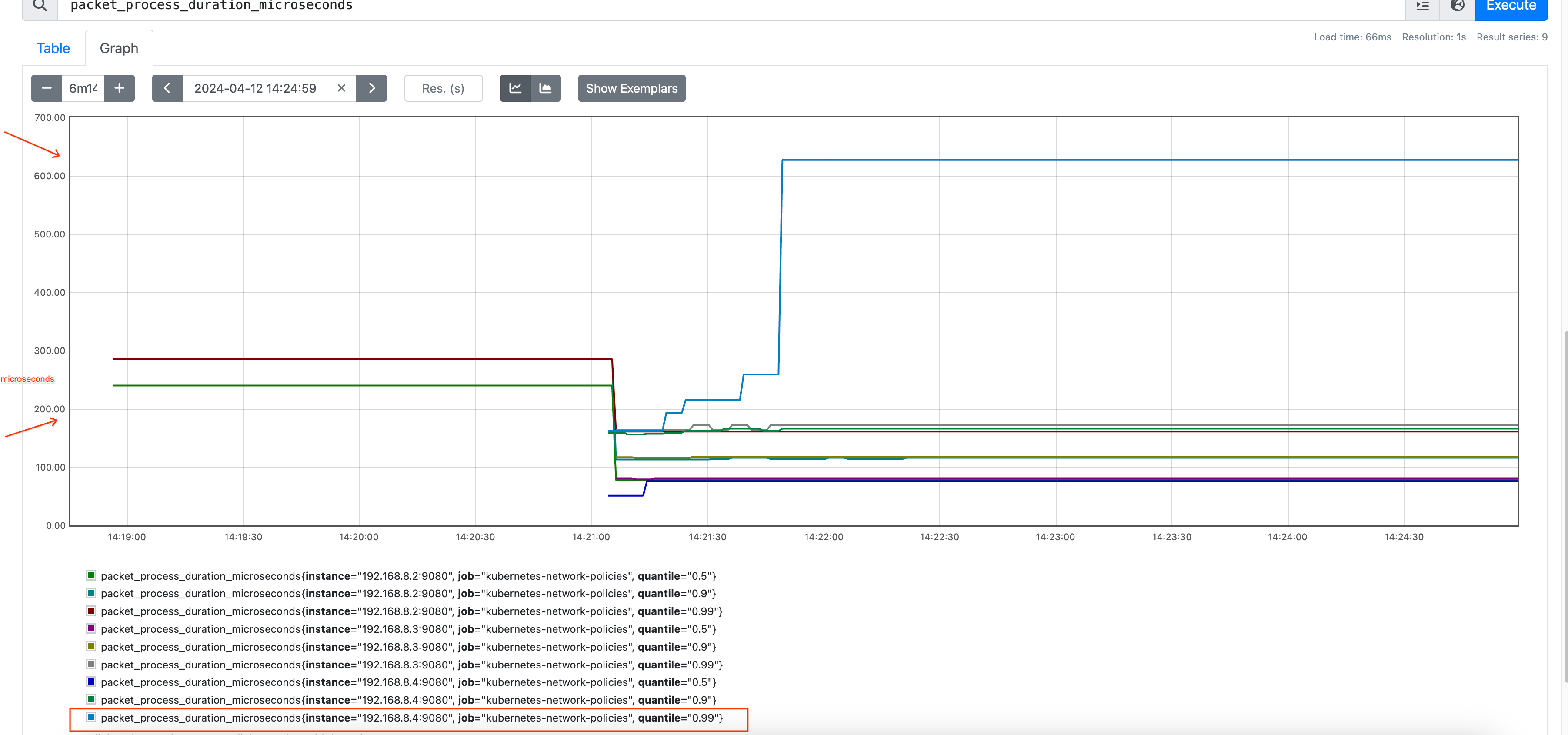
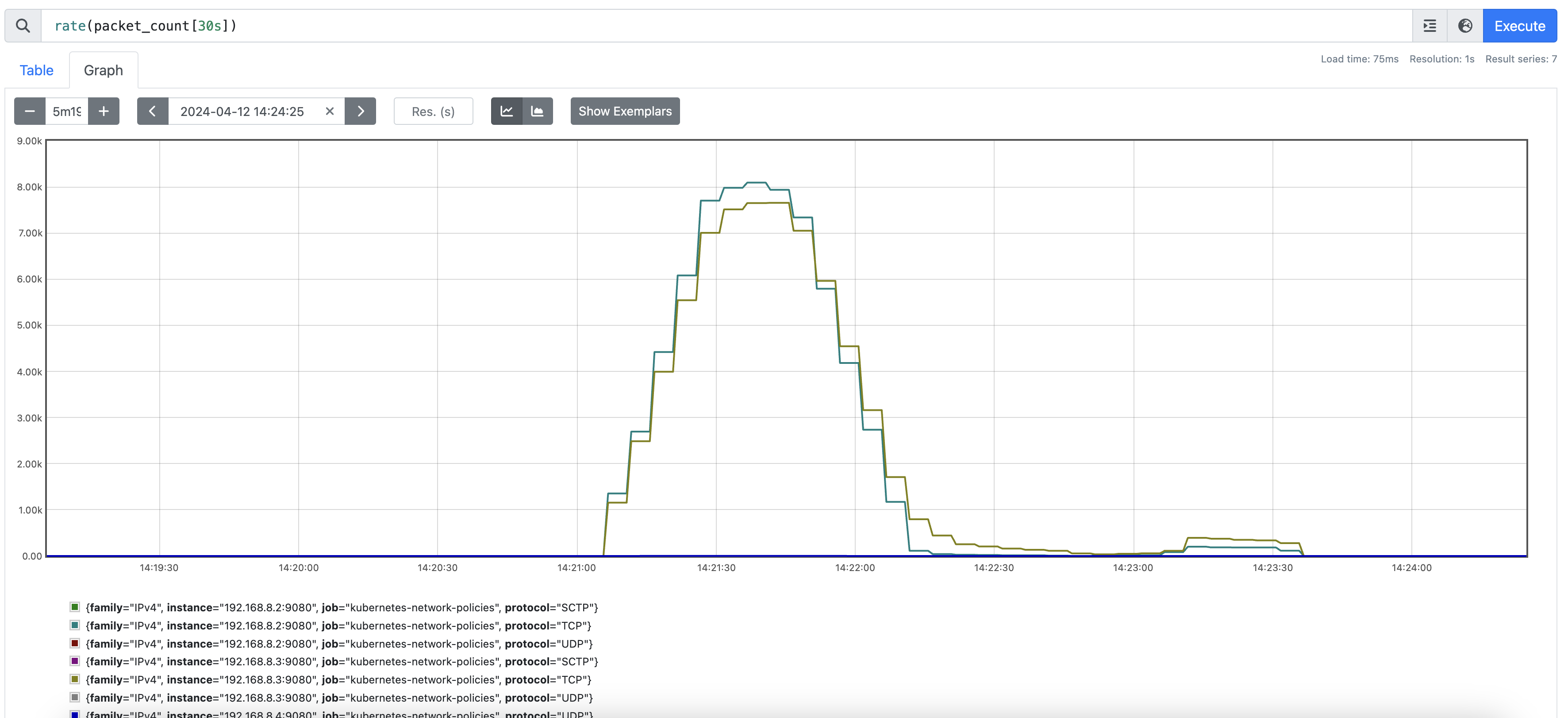
4. Observe Metrics
Once running, you can monitor the impact in Prometheus or Grafana:
Future Work & Benchmarking Variables
We are interested in understanding and optimizing:
- Memory and CPU consumption.
- Packet processing latency.
- Latency between policy creation and rule enforcement.
These variables can be simulated at scale in a single node or Kind cluster using fake nodes and pods via KWOK.